How to Avoid Getting Your Domain Blacklisted During Outreach
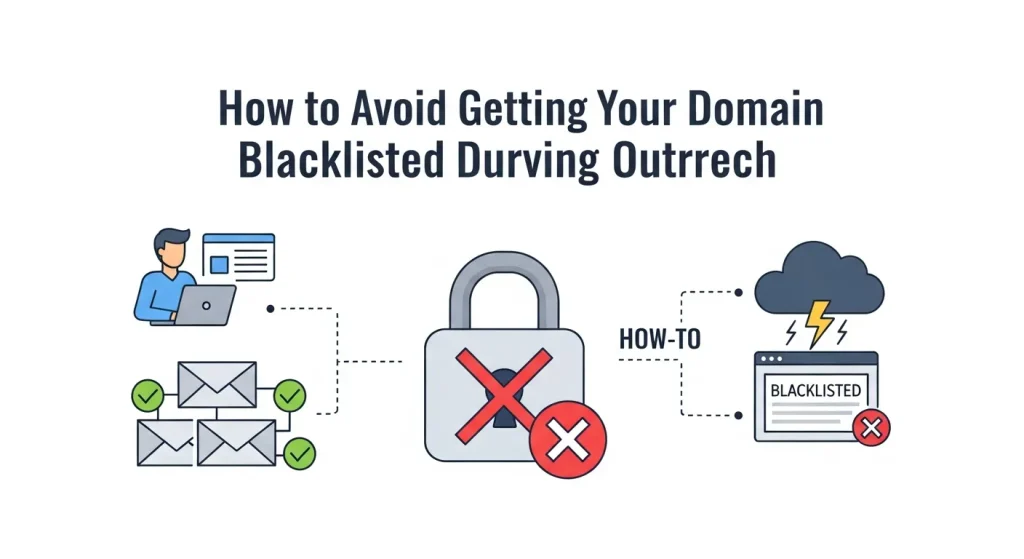
Email outreach can be one of the most effective ways to build relationships, generate leads, and grow your business. But there’s a dark side that many marketers and business owners don’t see coming: domain blacklisted. One day, your emails are landing in inboxes, and the next, they’re vanishing into the digital void—or worse, flagging your entire domain as spam.
Getting blacklisted doesn’t just hurt your current campaign; it can damage your domain’s reputation for months or even years. The good news? Domain blacklisting is entirely preventable when you understand how it works and implement the right safeguards.
This guide will walk you through everything you need to know about protecting your domain during email outreach. You’ll learn why domains get blacklisted, how to recognize the warning signs, and most importantly, how to structure your outreach campaigns to maintain a stellar sender reputation.
Understanding Domain Blacklisting and Why It Happens
Domain blacklisting occurs when internet service providers (ISPs), email providers, or anti-spam organizations flag your domain as a source of unwanted or malicious content. Once blacklisted, emails from your domain may be automatically blocked, sent to spam folders, or rejected entirely.
The consequences extend far beyond your marketing campaigns. A blacklisted domain can affect all email communication from your organization, including transactional emails, customer support responses, and internal communications.
Common Triggers for Domain Blacklisting
Several behaviors can trigger blacklisting, and many happen accidentally during legitimate outreach efforts:
- High bounce rates signal poor list quality to email providers. When you send emails to non-existent addresses or inactive accounts, ISPs interpret this as spam-like behavior.
- Spam complaints occur when recipients mark your emails as unwanted. Even a small percentage of spam complaints can trigger red flags, especially if your sending volume is high.
- Poor engagement rates suggest recipients don’t find your content valuable. Low open rates, minimal clicks, and quick deletions all contribute to a negative sender reputation.
- Sudden volume spikes raise suspicion when you dramatically increase your email sending without proper warming protocols. ISPs monitor for unusual sending patterns that could indicate compromised accounts or spam operations.
- Content triggers include excessive use of sales language, misleading subject lines, or formatting that resembles known spam patterns.
Email Authentication Essentials
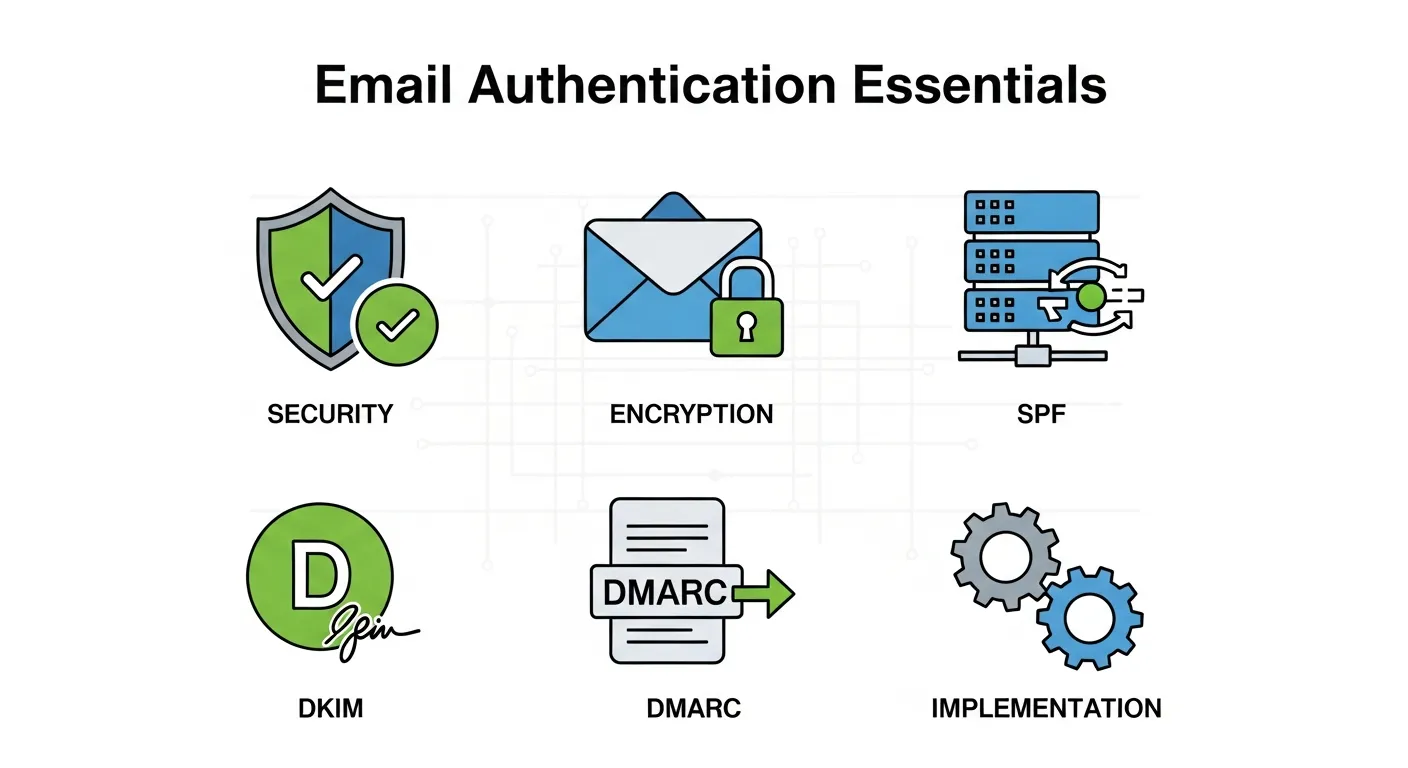
Setting up proper email authentication creates a foundation of trust with email providers. Three critical protocols work together to verify your identity:
- SPF (Sender Policy Framework) records tell receiving servers which IP addresses are authorized to send emails on behalf of your domain. Without SPF, your emails appear to come from an unverified source.
- DKIM (DomainKeys Identified Mail) adds a digital signature to your emails, proving they haven’t been altered during transit. This signature helps receiving servers confirm the email’s authenticity.
- DMARC (Domain-based Message Authentication, Reporting, and Conformance) builds on SPF and DKIM by providing instructions on how to handle emails that fail authentication checks.
These protocols work together to establish your domain’s legitimacy. Email providers use authentication as one of the primary factors in determining whether to deliver your emails to inboxes.
Choosing the Right Sending Infrastructure
Your email sending setup significantly impacts deliverability and blacklist risk. You have several options, each with distinct advantages:
- Dedicated IP addresses give you complete control over your sender reputation but require careful warming and consistent sending volumes. This option works best for organizations with large, regular email volumes.
- Shared IP addresses through reputable email service providers can provide good deliverability for smaller senders. However, your reputation is partially tied to other senders using the same IP.
- Email service providers like Mailgun, SendGrid, or Amazon SES offer professional-grade infrastructure with built-in reputation management. These services monitor sending patterns and provide guidance to maintain good standing.
Email List Quality and Management Best Practices
The quality of your email list directly impacts your blacklist risk. Poor list hygiene is one of the fastest ways to damage your sender reputation.
Building Clean Email Lists
Start with permission-based list building. Every email address should represent someone who explicitly opted in to receive communications from you. This might mean slower growth initially, but it creates a foundation of engaged recipients who are less likely to mark your emails as spam.
Implement double opt-in processes where possible. This extra step confirms that email addresses are valid and that recipients genuinely want to receive your content. While double opt-in can reduce signup rates, it dramatically improves list quality and engagement.
Advanced Deliverability Insights: Lessons from Top Digital Platforms

Even the most established digital platforms constantly refine their marketing strategies to protect reputation and deliverability. Studying how industry giants manage reputation and trust can help smaller organizations apply similar principles to their email outreach.
What We Can Learn from Leading Brands
| Brand/Platform | Key Reputation Strategy | Application for Email Outreach |
|---|---|---|
| Prioritizes relevance, authority, and authenticity through algorithmic trust and user engagement. | Build “content-first” outreach—share genuine insights before promotions. Google’s marketing strategies emphasize consistent credibility and user value. | |
| Focuses on relationship-driven engagement rather than mass communication. | Apply LinkedIn strategies beyond basic networking—personalized, research-backed outreach that fosters conversation, not cold sales. | |
| Amazon | Uses data-driven personalization to tailor communication based on user behavior. | Segment your outreach lists using behavior and engagement metrics for improved relevance and trust. |
Key Takeaways
- Treat your email domain reputation like your search ranking — consistent quality and authenticity win over quantity.
- Personalization beats automation when building long-term relationships.
- Transparent communication and consent-based data use reinforce trust with ISPs and audiences alike.
By understanding how global platforms like Google and LinkedIn maintain credibility, you can align your outreach practices with proven trust-building methods that keep your domain reputation strong.
The Business Impact of Domain Reputation: Beyond Deliverability

While most marketers view blacklisting as a technical issue, its effects ripple across business performance, brand perception, and even financial valuation. Domain reputation is now an integral part of how organizations are perceived online.
Why Domain Reputation Matters for Business Growth
- Brand Trust and Visibility: A strong sender reputation ensures your emails reach real people, preserving trust and credibility.
- Sales Efficiency: When your emails consistently hit inboxes, your sales cycle shortens, and lead quality improves.
- Investor Confidence: A brand suffering from deliverability issues may raise red flags about communication reliability and operational stability.
- Market Perception: In today’s digital economy, poor deliverability or blacklisting can indirectly influence how analysts and investors view brand health. This is an emerging example of how marketing strategies influence stock prices in data-driven industries.
Domain Reputation and Business Performance Overview
| Metric | Impact of Good Reputation | Impact of Poor Reputation |
|---|---|---|
| Email Deliverability | High inbox placement | Frequent spam filtering |
| Brand Perception | Trustworthy, professional | Risky, spammy image |
| Lead Conversion Rate | Consistent improvement | Sharp decline |
| Investor & Market Confidence | Stable or rising | Declining due to poor communication signals |
Strategic Recommendations
- Integrate email reputation monitoring into overall marketing KPIs.
- Report deliverability performance alongside sales and engagement metrics.
- Treat domain health as part of your broader marketing and financial strategy — not just a technical concern.
Understanding the strategic and financial ripple effects of your domain’s reputation helps align marketing with long-term business stability.
Regular List Maintenance
Email lists decay naturally as people change jobs, abandon email accounts, or lose interest in your content. Regular maintenance prevents these dead addresses from harming your reputation:
- Remove hard bounces immediately. Email addresses that consistently bounce indicate non-existent accounts and should be removed after the first hard bounce.
- Monitor soft bounces and remove addresses that soft bounce repeatedly. Temporary delivery issues can become permanent, and continued sending to these addresses signals poor list management.
- Track engagement patterns and consider removing subscribers who haven’t opened or clicked your emails in 6-12 months. These inactive subscribers contribute to poor engagement metrics without providing value.
- Implement re-engagement campaigns before removing inactive subscribers. Sometimes, a different approach or compelling offer can reactivate dormant contacts.
Email Verification Tools
Email verification services can help identify problematic addresses before you send. These tools check for:
- Invalid email formats
- Non-existent domains
- Disposable email addresses
- Known spam traps
- Role-based addresses (like info@ or sales@)
Popular verification services include ZeroBounce, NeverBounce, and Hunter.io. While these tools aren’t perfect, they can significantly improve list quality and reduce bounce rates.
Crafting Outreach Content That Avoids Spam Filters
The content of your emails plays a crucial role in deliverability and recipient perception. Even legitimate outreach can trigger spam filters if the content resembles known spam patterns.
Subject Line Best Practices
Subject lines are your first impression and a critical factor in both deliverability and engagement. Avoid common spam triggers:
- Excessive punctuation like multiple exclamation points or ALL CAPS text immediately signals spam to both filters and recipients.
- Misleading claims such as “guaranteed results” or “make money fast” are classic spam indicators that will hurt deliverability.
- Overly promotional language should be balanced with value-focused messaging. Instead of “Buy now for 50% off,” try “Exclusive insights for [Company] marketing team.”
Email Body Content Guidelines
Your email content should feel personal, relevant, and valuable. Mass-produced content is more likely to trigger spam filters and receive complaints.
Personalization beyond names shows genuine research and interest. Reference recent company news, mutual connections, or specific challenges their industry faces.
Clear value proposition should be evident within the first few sentences. Recipients should immediately understand why this email matters to them.
Professional formatting with proper spacing, simple fonts, and minimal images creates a trustworthy appearance. Emails that look like advertisements are more likely to be marked as spam.
Balanced text-to-image ratio is important because image-heavy emails can trigger spam filters. Keep images minimal and always include alt text.
Avoiding Common Content Triggers
Certain words and phrases are closely associated with spam and should be used carefully:
- Free, guaranteed, limited time
- Act now, urgent, exclusive deal
- Make money, work from home, earn extra income
- Click here, subscribe now, buy now
Instead of avoiding these terms entirely, use them strategically and in context. A single “free” in a valuable resource offer is different from multiple promotional triggers throughout your email.
Monitoring and Maintaining Your Sender Reputation
Sender reputation is like a credit score for your email domain. It’s built over time through consistent positive sending behavior and can be damaged quickly through poor practices.
Key Metrics to Track
Several metrics provide insight into your sender reputation and blacklist risk:
- Delivery rates show what percentage of your emails actually reach their destination. Declining delivery rates often precede blacklisting.
- Bounce rates should stay below 2% for healthy sending. Higher bounce rates indicate list quality issues that need immediate attention.
- Spam complaint rates should remain below 0.1% (one complaint per 1,000 emails). Higher complaint rates suggest recipients don’t find your content relevant or valuable.
- Engagement metrics like open rates, click rates, and time spent reading indicate whether recipients find your content valuable. Poor engagement signals to ISPs that your emails aren’t wanted.
Tools for Reputation Monitoring
Several tools can help you monitor your sender reputation and identify potential issues before they become serious problems:
- Google Postmaster Tools provides insights into your Gmail delivery performance, including spam rates, authentication status, and domain reputation.
- Microsoft SNDS (Smart Network Data Services) offers similar insights for Outlook and Hotmail delivery.
- Sender Score by Return Path provides a reputation score from 0-100 based on your sending behavior across multiple ISPs.
- MXToolbox and similar services allow you to check if your domain or IP appears on major blacklists.
Responding to Reputation Issues
When you notice declining metrics or delivery issues, quick action can prevent blacklisting:
- Pause sending immediately if you notice sharp increases in bounces or complaints while you investigate the cause.
- Identify the source by analyzing recent campaigns, list segments, or content changes that might have triggered the issue.
- Clean your list by removing problematic addresses and implementing stricter validation processes.
- Adjust your content if spam filters seem to be triggering on specific words or formatting.
- Reduce sending volume temporarily while you resolve issues and rebuild your reputation.
Creating a Sustainable Outreach Strategy
Long-term success in email outreach requires thinking beyond individual campaigns to build sustainable systems that protect your domain reputation.
Outbound digital marketing, especially through email outreach, plays a vital role in driving new leads and building brand awareness—but only when it’s executed responsibly. Unlike inbound strategies that attract customers through content, outbound efforts involve actively reaching out to prospects. That’s why your approach must be methodical, well-targeted, and compliant with deliverability best practices to avoid landing in spam folders or being blacklisted.
Volume and Frequency Management
Consistency is more important than volume when building sender reputation. ISPs prefer senders who maintain steady patterns rather than those with erratic sending behavior.
- Start small with new domains or IP addresses. Begin with a few hundred emails per day and gradually increase volume as you establish positive reputation signals.
- Maintain regular sending rather than batch-sending large campaigns infrequently. Regular, smaller sends appear more legitimate to ISPs.
- Monitor recipient preferences and allow people to control email frequency. Providing options for weekly vs. monthly emails can reduce unsubscribes and complaints.
Segmentation and Targeting
Better targeting improves engagement and reduces blacklist risk by ensuring recipients receive relevant content.
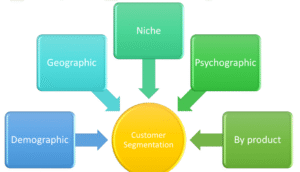
- Demographic segmentation allows you to tailor messaging to specific industries, company sizes, or roles.
- Behavioral segmentation based on past engagement helps you identify your most active subscribers and adjust frequency for less engaged segments.
- Geographic segmentation can improve relevance and help you comply with local regulations like GDPR or CAN-SPAM.
Testing and Optimization
Regular testing helps you identify what works while minimizing risk to your main domain.A/B testing of subject lines, send times, and content formats provides data-driven insights into what resonates with your audience. Small test sends allow you to validate new approaches before rolling them out to your entire list.Separate domains for different types of outreach can protect your primary domain if experimental campaigns encounter issues.
Recovery Strategies If Blacklisted
Despite best efforts, blacklisting can still occur. Quick, appropriate action can minimize damage and speed recovery.
Immediate Steps When Blacklisted
- Stop all sending from the affected domain immediately to prevent further damage.
- Identify the blacklist using tools like MXToolbox to determine which organizations have blacklisted your domain.
- Review recent activity to identify what might have triggered the blacklisting.
- Clean your email list thoroughly, removing any addresses that might have contributed to the problem.
Delisting Process
Most blacklist providers have formal delisting procedures:
- Submit delisting requests through the appropriate channels for each blacklist provider.
- Provide evidence of corrective actions you’ve taken to address the issues that caused blacklisting.
- Be patient as delisting can take anywhere from a few hours to several weeks, depending on the provider.
- Monitor progress and follow up appropriately without being overly aggressive in your communications.
Preventing Future Issues
Use blacklisting as a learning opportunity to strengthen your email practices:
- Implement stricter list hygiene procedures to prevent future quality issues.
- Enhance monitoring to catch problems earlier in the future.
- Review and update your email authentication and infrastructure.
- Consider professional help from email deliverability experts if blacklisting becomes a recurring problem.
Protecting Your Domain’s Future
Building and maintaining a strong sender reputation requires ongoing attention and commitment to best practices. The effort invested in proper email hygiene and authentication pays dividends through improved deliverability, better engagement, and protection from blacklisting.
Remember that email deliverability is not a set-it-and-forget-it process. ISPs continuously evolve their filtering algorithms, recipient expectations change, and new threats emerge. Staying informed about industry best practices and maintaining vigilant monitoring will help ensure your outreach efforts remain effective and your domain stays off blacklists.
The key to long-term success lies in treating every email as a reflection of your brand’s professionalism and respect for recipients’ time and attention. When you consistently provide value, maintain proper technical setup, and monitor your reputation metrics, you create a sustainable foundation for effective email outreach that benefits both your business and your recipients.
Frequently Asked Questions (FAQ) About Domain Blacklisting and Safe Email Outreach
1. What does it mean when your domain gets blacklisted?
When your domain is blacklisted, it means Internet Service Providers (ISPs) or spam-monitoring organizations have identified your domain as a potential source of spam or malicious activity. As a result, your emails may be blocked, sent directly to spam folders, or rejected entirely.
This often happens when senders unknowingly engage in practices like emailing outdated lists, sending too many cold emails too quickly, or neglecting proper authentication (SPF, DKIM, DMARC).
2. How can I tell if my domain has been blacklisted?
You can check your domain’s blacklist status using tools like MXToolbox, MultiRBL, or Spamhaus Lookup. These tools scan major blacklists to see if your domain or IP address appears.
If your emails suddenly stop reaching inboxes or open rates drop sharply, that’s often an early sign of deliverability issues or possible blacklisting.
3. What are the most common reasons a domain gets blacklisted?
Domains typically get blacklisted for:
- Sending bulk emails to invalid or purchased lists
- High bounce rates
- Spam complaints from recipients
- Sudden increases in email volume
- Unverified or unauthenticated sending (missing SPF, DKIM, DMARC)
Even legitimate outreach can trigger these filters if list hygiene and sending frequency aren’t properly managed.
4. How can I prevent my outreach domain from being blacklisted?
Follow these best practices:
- Use double opt-in for new subscribers.
- Maintain strong SPF, DKIM, and DMARC records.
- Regularly clean your list and remove inactive subscribers.
- Warm up new domains gradually before high-volume campaigns.
- Avoid spammy language in subject lines and body content.
A consistent and transparent sending pattern is your best defense against blacklisting.
5. How often should I check my sender reputation?
Ideally, you should review your sender reputation weekly if you’re running active outreach campaigns. Use tools like Google Postmaster, Microsoft SNDS, and Sender Score to monitor performance.
A proactive approach allows you to identify early warning signs—such as declining open rates or rising bounce rates—before a blacklist incident occurs.
6. What should I do if my domain is already blacklisted?
If you discover your domain is blacklisted:
- Stop sending emails immediately.
- Identify which blacklist you’re on using tools like MXToolbox.
- Fix the root cause (bad lists, spammy content, etc.).
- Submit a delisting request to the blacklist provider, including evidence of corrective actions.
- Resume sending gradually after being removed from the list.
This recovery process restores trust and helps rebuild your sender reputation.
7. How can content affect email deliverability and blacklist risk?
Content plays a huge role. Overly promotional or “spammy” phrases—like “Act Now,” “Free,” or “Limited Offer”—can trigger spam filters.
Instead, use value-driven messaging: provide insights, solutions, or personalized relevance. Maintaining a balanced text-to-image ratio, clean formatting, and an authentic tone all improve deliverability and engagement.
8. Does using marketing automation tools increase the risk of blacklisting?
Not inherently—but misuse can. Marketing automation tools like HubSpot, Lemlist, or Instantly make outreach efficient, but sending too many emails too fast or ignoring deliverability metrics can still trigger blacklists.
Use throttling settings, personalized sequences, and warmed domains to maintain consistent, human-like sending behavior.
9. How does domain reputation tie into overall marketing performance?
Domain reputation doesn’t just affect email—it influences your entire marketing ecosystem. Poor deliverability means fewer people see your offers, lowering engagement, conversions, and brand trust.
Strong sender reputation supports broader business goals, from lead generation to customer retention, and can even reflect your company’s professionalism and credibility in the market.
10. How does email outreach relate to inbound and outbound marketing strategies?
Email outreach is primarily part of outbound marketing, but it can complement inbound efforts when used strategically. For example, nurturing inbound leads with personalized follow-up emails enhances the buyer journey.
Marketers often debate outbound vs inbound product marketing which works best at each stage, but the truth is: outbound email outreach is ideal for awareness and lead acquisition, while inbound content builds trust and retention. Together, they create a balanced, full-funnel growth strategy.
11. Can I combine inbound and outbound email strategies effectively?
Absolutely — in fact, the best-performing companies do. While inbound marketing attracts prospects through valuable content (like blogs, SEO, or webinars), outbound marketing reaches out directly via targeted email or LinkedIn campaigns.
So yes, can you use both inbound and outbound marketing? Definitely. The key is alignment: use inbound data to personalize outbound messages, ensuring consistent tone, value, and intent across all channels.
12. How do I know which email approach is right for my business?
Choosing between outbound and inbound email strategies depends on your goals, audience, and sales cycle.
If you need quick lead generation, outbound campaigns can deliver faster results. If your goal is long-term brand loyalty, inbound efforts like nurturing sequences and newsletters may work better.
Ultimately, understanding inbound vs outbound marketing fit the right way for your business helps you design a sustainable approach that combines both for maximum ROI and domain health.
13. Should I use a separate domain for outreach campaigns?
Yes, it’s often wise to use a secondary domain (like “yourbrand.co” instead of “yourbrand.com”) for cold outreach. This protects your main domain from potential blacklisting if anything goes wrong.
Just remember to authenticate the new domain (SPF, DKIM, DMARC) and warm it up gradually to build a positive reputation before sending in bulk.
14. What’s the safest email volume to send daily during outreach?
Start small—around 100–200 emails per day for new domains—and gradually increase as engagement improves. Sudden spikes in volume are one of the fastest ways to trigger spam filters.
Consistency is key: ISPs value predictable, steady sending behavior more than high-volume campaigns.
15. Does personalization really help avoid blacklisting?
Yes. Personalized emails show ISPs and recipients that your messages are intended for specific people, not mass-spam attempts. Include references to the recipient’s company, role, or recent achievements.
Well-researched outreach not only improves response rates but also signals legitimacy to email filters.
Learn more about: SaaS Outbound Marketing Playbook: From Cold to Closed